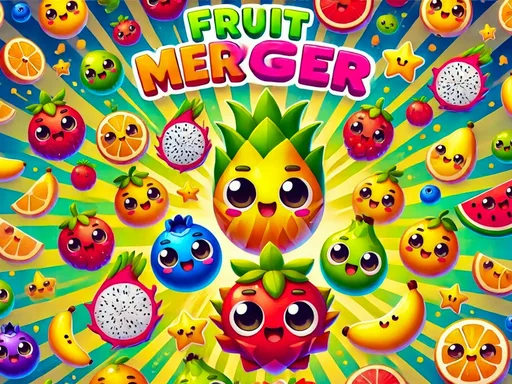
Quick answer: Fruit Merger is a free Puzzle & Casual browser game. The official listing is marked Mobile Ready; a laptop or Chromebook with a keyboard is still the most reliable way to play. No download or account is required.
What is Fruit Merger?
Fruit Merger is a drop-and-combine puzzle: you release one fruit at a time and two matching fruit merge into the next size up. The round ends when the pile reaches the top, so every drop either buys space or spends it.
Physics does most of the work: fruit rolls, stacks and settles, so the same drop can land two different ways. The skill is planning a drop ahead instead of chasing the slot under the pointer.
The board ends the run, not the clock. That means the useful habit is a flat base: lay fruit along the floor and merge upward, rather than dropping into the same column until it towers. A wide, low board has more options than a tall, narrow one.
There is no time pressure, so take the extra second to check where the fruit will roll. A drop that looks perfect at the top can bounce off a neighbour and land somewhere useless.
What You Can Do in Fruit Merger
How to Play & Controls
- 1Start by laying fruit across the floor instead of one column.
- 2Keep matching fruit next to each other so a single drop merges both.
- 3Drop into gaps rather than on top of the pile.
- 4Read the next fruit preview before committing the current drop.
- 5When the board crowds, spend two drops flattening it.
Controls
The official listing is marked Mobile Ready. A laptop or Chromebook with a keyboard still gives the most reliable controls. Controls are based on the in-game menu; a key may differ in a newer build.
Pro Tips & Walkthrough Strategy
- Keep the biggest fruit in a corner and merge everything else around it.
- Drop into gaps instead of stacking on top; height is what ends a run.
- Read the next fruit, not the current one, and set up the drop you will need after it.
- When the board is messy, spend a few drops flattening it instead of chasing one merge.
- A merge in the corner is worth more than one in the middle: corners keep the centre open.
- If two drops in a row bounce badly, reset instead of digging.
Common Mistakes to Avoid
- Stacking one column until it reaches the top.
- Chasing a big merge while the board is already full.
- Ignoring the next-fruit preview.
Who Should Play Fruit Merger?
Fruit Merger suits players who like calm puzzle loops and short sessions. Portrait layout and touch support make it a natural phone game.
Is Fruit Merger free, and what devices does it support?
- Category
- Puzzle & Casual
- Engine
- HTML5
- Device
- PC & Mobile
- Mobile Ready
- Yes (official)
- Published
- Nov 25, 2024
- Controls
- 3 listed
Game information and controls were checked against the official GamePix listing on 2026-11-23.
Frequently Asked Questions
Is Fruit Merger free?
Yes. It runs free in your browser with no account and no download.
Can I play Fruit Merger on a phone?
Yes. The official listing is Mobile Ready and the game is built in portrait, so tapping works well.
Is Fruit Merger the Suika game?
It is a Suika-style merge puzzle: drop fruit, match pairs, grow bigger fruit. It is distributed by GamePix and is not the original Suika build.
q
a
q
a
q
a
Game stream provided by GamePix. All game rights belong to the original developer and publisher.